
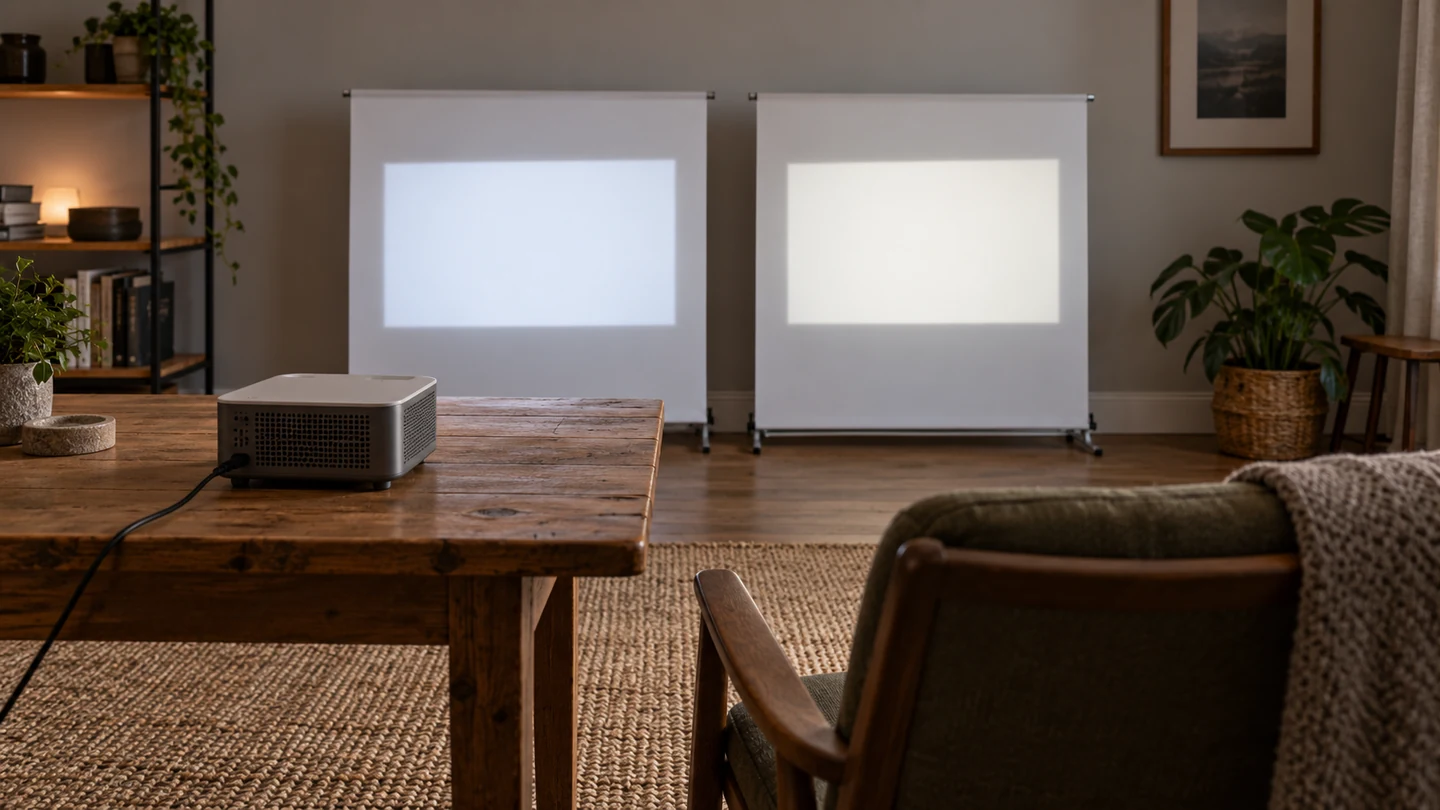
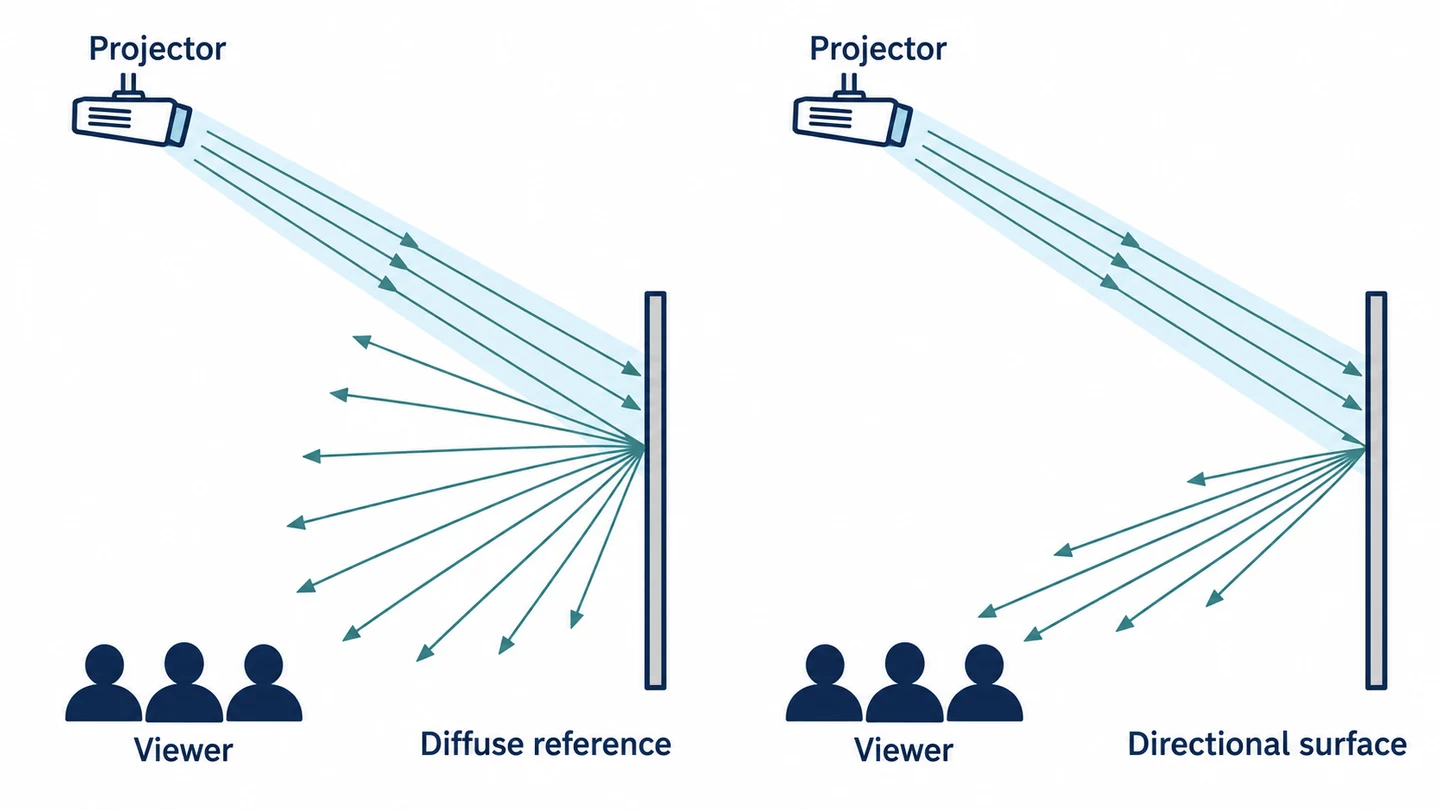
Projector screen gain compares a screen’s brightness in a specified direction with a diffuse white reference rated 1.0. At the same illumination, a gain of 1.5 means 50% more brightness in that direction, while 0.8 means 80% of the reference. For a room with widely spread seats, a surface close to 1.0 is the safe starting point; a higher peak only pays off if the side seats still get enough light.
The screen does not add light. It redistributes what the projector sends, so your projector output, image size, seating and room lighting decide whether a higher number helps or just makes the centre seat brighter than the rest.
What does a projector screen gain number mean?
Gain is a ratio: the brightness a screen sends toward one viewing direction, divided by what a matte-white reference sends the same way. The reference spreads light evenly in all directions and counts as 1.0, and in the 2023 AVIXA glossary’s wording a higher-gain screen concentrates the light reflected from it. The measured-to-reference luminance ratio is set out on page 5 of the EDCF’s June 2019 projection-screen guide.
| Gain | Brightness relative to a unity reference in the stated direction | What to examine |
|---|---|---|
| 0.8 | 80% of the reference | Whether the projector supplies enough light for your image size |
| 1.0 | The same as the reference | Uniformity and visibility across the seats |
| 1.3 | 30% above the reference | The angular curve and how it changes away from the peak |
| 1.5 | 50% above the reference | Off-axis brightness and possible hotspotting |
These percentages are ratios under matching illumination, not extra light made by the screen. A 1.5 surface sends more of the projector’s light toward one seat by sending less elsewhere, and the projector’s lumen output stays exactly the same.
Read peak gain together with the angular curve. A gray screen often has a fractional gain, below 1.0, but its colour alone does not tell you how it spreads light. The material specification and an image viewed from your actual seats tell you more than a photo of an unlit swatch.
Does a higher gain make the picture brighter for every seat?
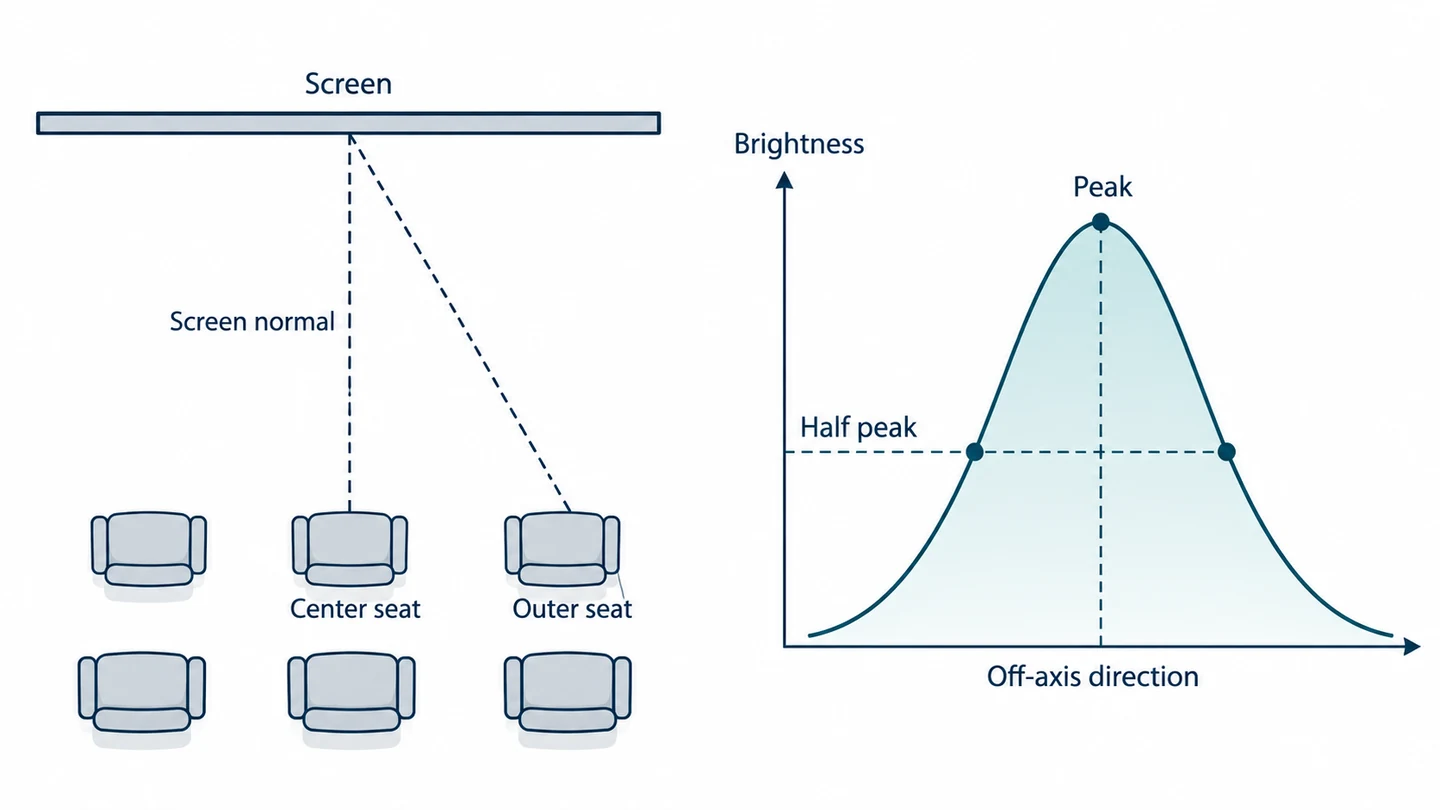
No. A higher-gain screen is brighter toward its peak direction and falls off faster toward the sides, so a wide row of chairs sees the same screen differently.
The half-gain angle measures that fall-off. IEC 62906-5-6:2020, a measuring standard for fixed laser-projector and screen pairs, defines it in clause 3.1.3 of its public preview as the viewing direction where gain has dropped to half of the peak gain.
Half of peak is relative to that material’s own peak. It is not the point where a high-gain screen becomes dimmer than a 1.0 reference, so to compare an outer seat you need the gain at that seat’s angle, not just the peak and the half-gain figure.
A couch facing the screen squarely is a different case from chairs that extend well past its sides. Before you choose a more directional material, sit in the worst seat and compare brightness, colour and uniformity across the picture. A demonstration from the centre seat hides the trade-off the person at the end of the couch will see.
How do half-gain angle and viewing angle affect your seating?
Measure the angle from the screen centre to your outermost seat, then check that the material’s angular brightness curve still gives that seat enough light. Read how the supplier states the angle: a one-sided angle from the screen normal is half of a full cone across both sides.
Also check whether the chart describes horizontal or vertical viewing. A couch off to one side and a projector mounted above the screen involve different directions, and the peak itself can shift with the screen’s optics and the projector’s position.
As one material example, UltraMatte 150 lists a peak gain of 1.5 and a half-gain angle of 61°, and is described as performing best where lighting can be controlled. Gain, angular curve and room-light advice belong in the same decision.
Sketch the screen centre, the centre seat and the farthest side seat from above. A long, narrow room with seats near the centreline tolerates a more directional screen than a shallow room with a wide couch. The sketch tells you where to sit when you view a projected sample.
What is hotspotting, and when does high gain cause it?
Hotspotting is a bright patch, usually near the middle of the image, that appears when a directional, high-gain surface sends concentrated light toward you. It moves as you move, and the edges look dimmer than the centre.
It is easiest to see on a plain bright image; a dark movie scene hides it. Check the centre, corners and edges from the main seat and the outer seats. Projector distance and position, the material’s reflection pattern and your viewing distance all change the result.
The 2019 industry guide, pages 5–7 shows how geometry and directional reflection create the hotspot. In a shallow room with seats close to the screen, an even picture is usually worth more than the highest peak specification.
Project a sample at the intended throw and mounting position before judging the installation, and keep the image and projector mode the same while you compare surfaces. You will see whether the extra brightness helps the whole picture or only its brightest point.
How do projector brightness and screen size change the gain you need?
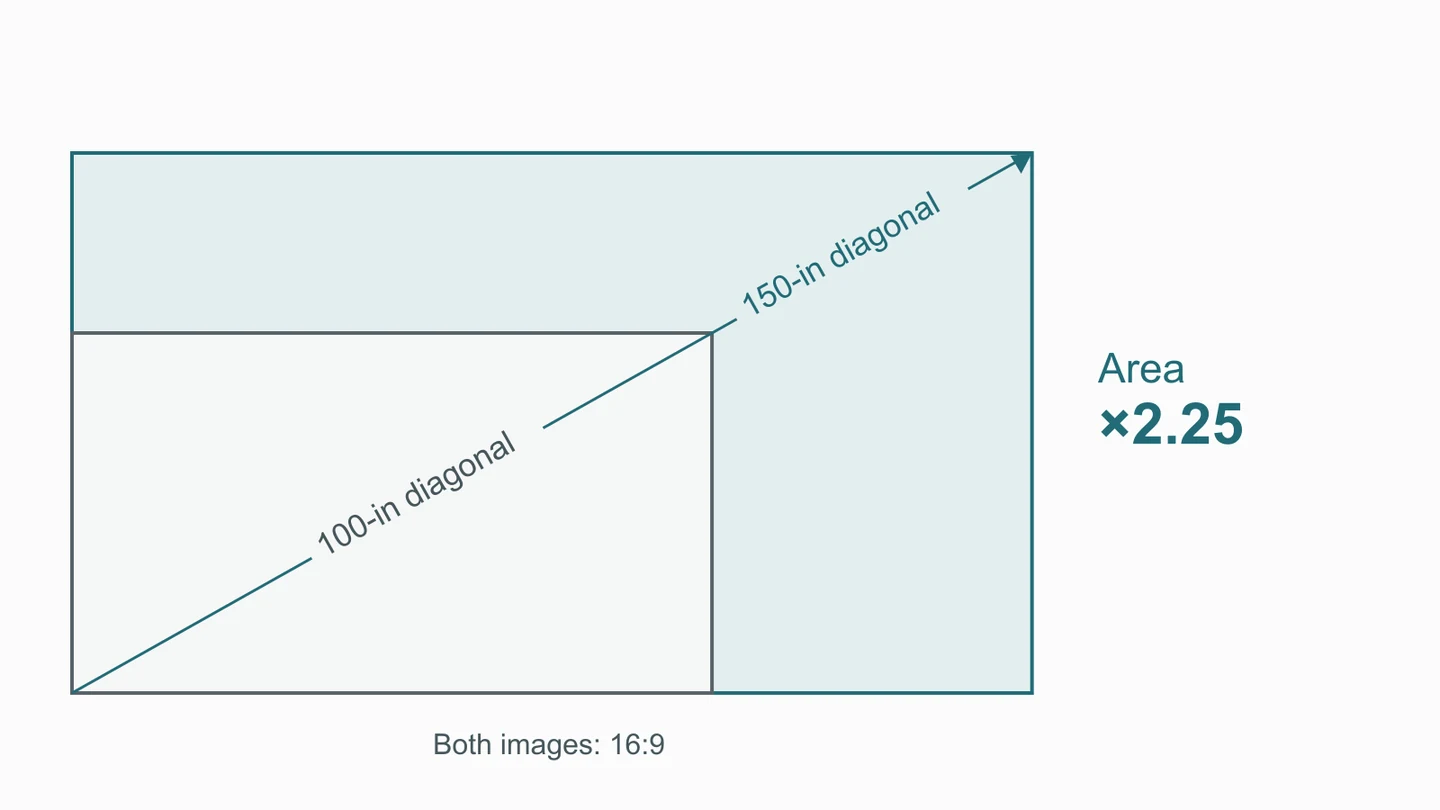
A bigger image spreads the same light over more area, so it looks dimmer unless projector output or useful gain rises. Settle the image size before you choose the gain.
At a fixed aspect ratio, going from a 100-inch to a 150-inch diagonal multiplies the area by 2.25. With the same projector light and gain, brightness falls to about 44% of the original.
A useful estimate is:
Foot-lamberts ≈ delivered projector lumens × screen gain ÷ image area in square feet.
The formula comes from the 2009 Da-Lite technical publication, “Gain Again”, PDF page 36. Use the output of the picture mode you will actually watch in, instead of the highest lumen figure on the box.
For example, assume 1,000 delivered lumens and unity gain. A 100-inch, 16:9 image has an area of about 29.7 square feet, giving an estimated 33.7 fL. At the larger diagonal above, the estimate drops to about 15.0 fL. These are worked inputs, not measurements or current brightness targets.
So with spread-out seating, a brighter projector is often a better fix for a big screen than a strongly directional material. Choose the image size you can comfortably watch, then match the output and screen to it.
Is a high-gain screen the answer for a bright room?
No. Peak gain and ambient-light rejection are different properties, and room light can wash out even a bright image. What matters is where the unwanted light comes from compared with the projector.
A side window, an overhead lamp and a light near the projector hit the screen from different angles. An ambient-light-rejecting (ALR) surface uses a directional response built for its intended layout; a high peak gain tells you little about how a surface handles light from those other directions. Even the UltraMatte example above is meant for rooms where lighting can be controlled.
An ultra-short-throw projector changes the choice again, because it fires light at the screen from a steep angle below. Use a screen designed for that geometry. A surface built for a ceiling-mounted projector can send that light away from the seats, whatever its headline gain.
Start with the room: shade the window, move the lamp away from the screen or cut the light falling on the image. Then compare suitable materials under the light and projector setup you will really use. In a family room used during the day, that comparison tells you more than the highest number in a catalog.
What gain do common home screens use, and what do they cost?
The two complete home screens priced here use matte-white gains just above unity, and their price gap follows size and mechanism more than gain.
| Official U.S. retail listing, observed 18 October 2026 | Screen and stated surface | Listed price |
|---|---|---|
| Manual B, M100V | 100-inch, 4:3 manual screen; MaxWhite 2, gain 1.1 | $143 |
| Aeon, AR128WH2 | 128-inch, 16:9 fixed frame; CineWhite UHD-B, gain 1.3 | $458 |
Both are Elite Screens listings for different complete products, so they are not a controlled comparison of gain or a national price band. Check tax, shipping, installation and current availability separately.
For a spare room used now and then, a pull-down screen may matter more than a small difference in gain. A dedicated cinema room usually suits a fixed frame. Decide the image size, aspect ratio and installation first, then compare surfaces within that format.
How do you choose the right gain for your room?
Work in four steps: measure your seating angles, estimate brightness for your image size, note where room light comes from, and then view samples with your own projector and seats. A sample close to 1.0 gives you a reference point for judging a more directional or darker one.
| Room condition | Starting approach | What to verify on the sample |
|---|---|---|
| Controlled light with widely spread seats | A gain close to 1.0 with a broad, even spread | The farthest seat and image corners |
| Controlled light, seats near the centre and a large image | A modest step above 1.0, or more projector output | Off-axis fall-off and bright patches |
| Daytime use or steady side light | Light control and an ALR surface suited to that light | Response to the actual window or lamp direction |
| Ultra-short-throw projector | A screen designed for that geometry | Brightness and uniformity at the intended mounting position |
Keep projector mode, image content and seat position the same between samples. A bright white field shows unevenness, while familiar dark and mixed scenes show how room light affects the picture. Check colour from different seats too; extra brightness that brings a colour shift elsewhere is a poor trade.
If you have to compromise, favour the seats people use every day. A smaller image, better light control or a broader screen often fixes what extra peak gain cannot.
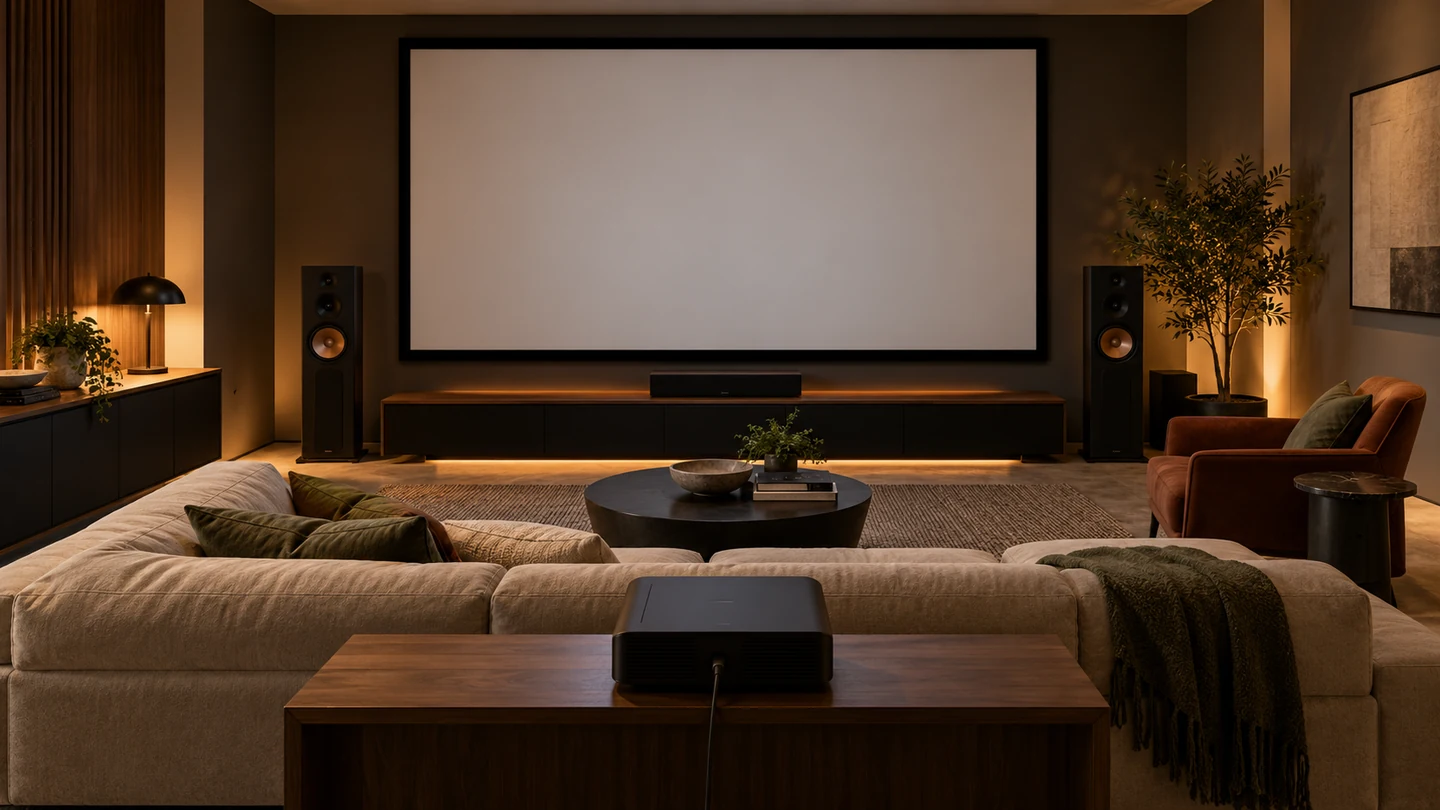
Where does Puremorfilm projection screen film fit?
It fits when you want a front-projection surface you can test with your own projector before committing. Puremorfilm supplies front-projection screen film without back adhesive, delivered as a whole piece, and standard samples are dispatched within three days; we do not publish a gain figure, so judge a sample with your projector, image size and seats. We run 6 lines for printing, coating and lamination.
The silicone surface is inherently flame-retardant, with higher grades up to UL 94 V-0 available on request. In the manufacturer’s laboratory tests, coffee, red wine and other stated stains were wiped away after 24 hours at 25°C with no obvious change. We use a No DOP formulation.
Our main supply is rolls, with film-faced panels available on request through PUR flat lamination. This newer paint-free surface uses silicone functionality, distinct from PVC, melamine, PP and PETG decorative faces.
See the projection screen film details and the film manufacturing overview. For later care, the projector-screen cleaning guide explains how to clean the viewing face without damaging it.
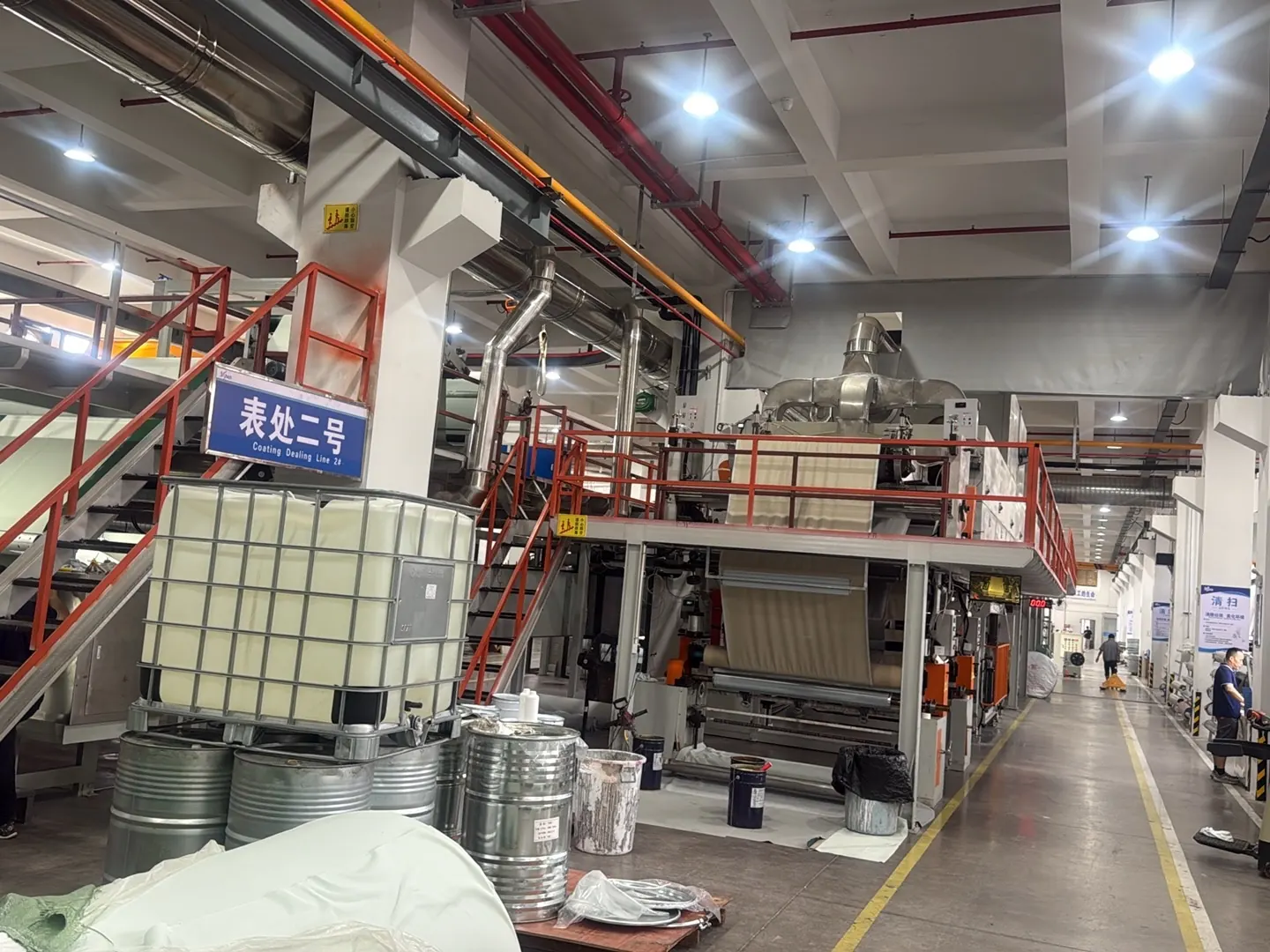
Which projector screen gain should you pick?
Pick a gain close to 1.0 for most home rooms with spread-out seats. Go a little higher only when seats sit near the centre and the image is large, and when side light is the problem, choose an ALR design for that light instead of chasing gain.
| Main constraint | Decision rule |
|---|---|
| Wide seating | A gain close to 1.0; check the outer seats |
| Large image in controlled light | Compare extra projector output with a modest gain step, using the brightness estimate |
| Persistent ambient light | Choose for the actual light directions and projector geometry |
| Ultra-short-throw projector | A screen made for that throw angle |
When evaluating front-projection film, contact us with the projector model and its output, the image size, the angle to your outermost seat and the room-light conditions.
Frequently Asked Questions
What is a good gain for a projector screen?
About 1.0 for most home rooms with spread-out seats. A higher gain can suit seats grouped near the centre or a large image, as long as the outer seats stay evenly lit.
How much do projector screens cost?
The two complete screens we observed on 18 October 2026 cost $143 for a 100-inch manual model and $458 for a 128-inch fixed frame. Size, mechanism, material and installation drive the total.
Is a higher-gain projector screen always better?
No. It brightens the picture near the peak direction but dims it elsewhere and can make a bright patch visible. Seating, image size and lighting decide whether it helps.
How does screen gain affect the viewing angle?
Higher gain usually narrows the viewing angle, because more of the light is concentrated toward the peak. The angular curve shows that better than the peak number.
Should you choose low or high gain for a bright room?
No gain level fixes a bright room on its own. Light direction, the screen’s response and the projector’s geometry decide; light control and a suitable ALR design usually matter more than peak gain.