
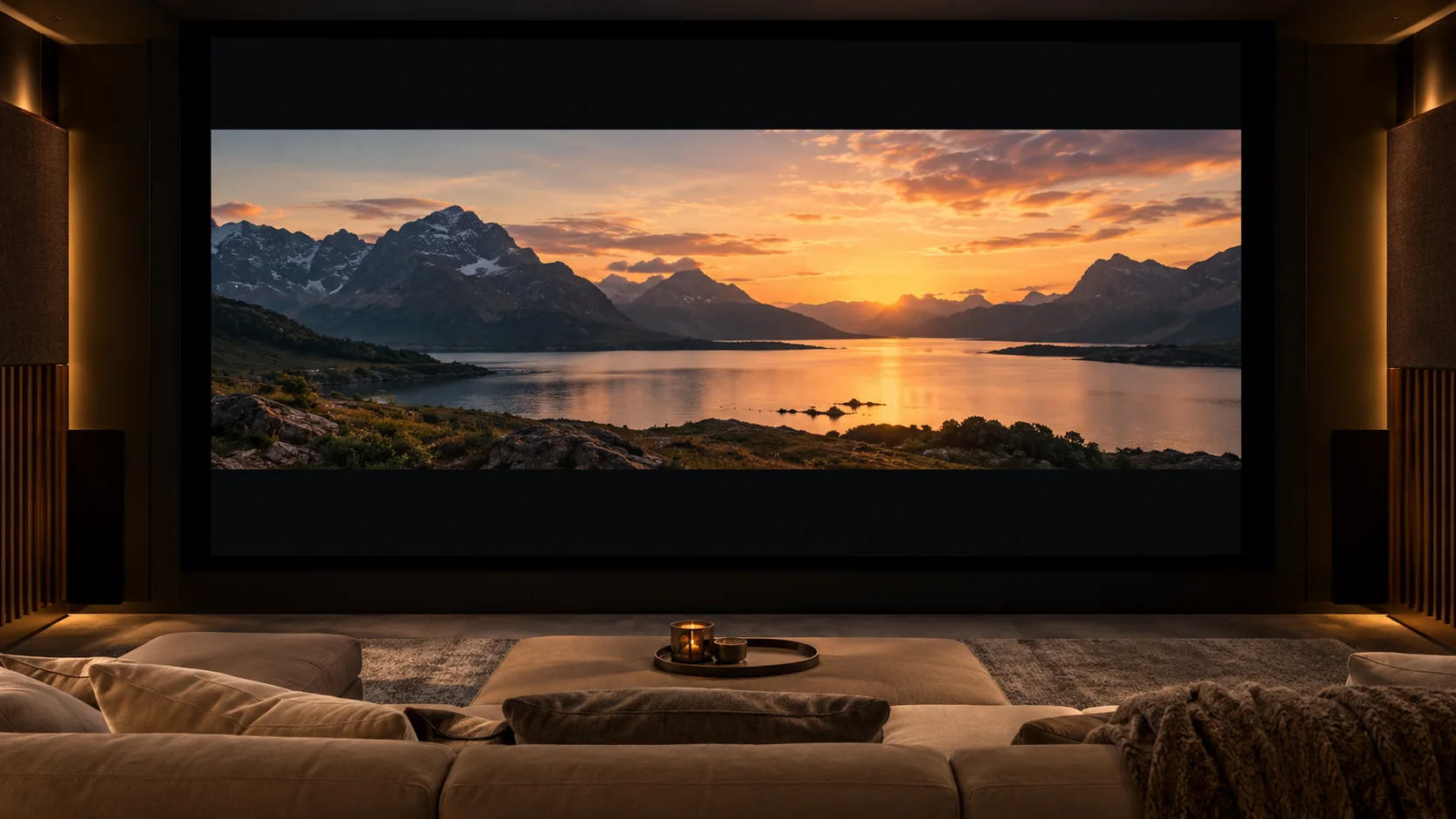
Projector screen aspect ratio is the image width divided by its height. A 16:9 screen, about 1.78:1, matches common HD and UHD video frames; a wider scope screen suits a room used mainly for 2.39:1 films. Choose the shape for your usual content, then work out the active width and height that the wall can accommodate.
A diagonal size becomes useful after those decisions. Two screens with the same diagonal can need different wall widths and offer different image heights. The projector’s supported image shape and installation range also need to fit the opening you intend to use.
What does projector screen aspect ratio mean?
Projector screen aspect ratio describes width relative to height, so it tells you the image’s shape rather than its physical size. You can express it as two numbers, such as 16:9, or set height to one and write a decimal ratio. The physical dimensions still need a separate measurement.
The AVIXA glossary, page 3, defines aspect ratio through width and height. Dividing sixteen by nine gives approximately 1.78, which is another way to describe the same geometry.
A ratio applies at many sizes. Enlarging both dimensions by the same factor keeps the shape unchanged. Changing only the width or only the height produces a different ratio, which is why a screen specification should include its active dimensions alongside the format name.
Cinema descriptions also use ratios such as 1.85:1 for flat and 2.39:1 for scope. Treat those as descriptions of shape. They leave the room’s actual image width, image height and screen border to be decided.
Keep pixel resolution in a different field. Resolution counts the image samples across and down; its horizontal-to-vertical relationship can be calculated, but the count does not tell you the installed screen dimensions.
Which ratio fits the content you actually watch?
Use a 16:9 screen as a starting point for a room dominated by television, video and games in that shape. Consider a wider scope opening when wide films are the main use and the installation can handle other formats. Check the actual content mix before making the wider opening the room’s default.
For example, 1920×1080 calculates to the familiar 16:9 widescreen ratio. These are arithmetic relationships, so read the stated pixel dimensions when a source or projector lists a format.
The AVIXA glossary includes both 3840×2160 and 4096×2160 under its 4K discussion. That illustrates why the label “4K” is insufficient to specify a single shape. Check the particular image, signal and projector instead of ordering a screen opening from that label.
List the material you actually show: broadcast programs, streamed films, games, presentations or an existing collection of older content. Note which formats dominate and which ones you are willing to display with unused areas around the picture. A film-led room can reasonably favor a different opening from a mixed-use family room.
Choose the surface material after establishing this shape and mounting plan. The projector screen materials guide covers the separate choices of sheet construction, optical face and mounting needs.
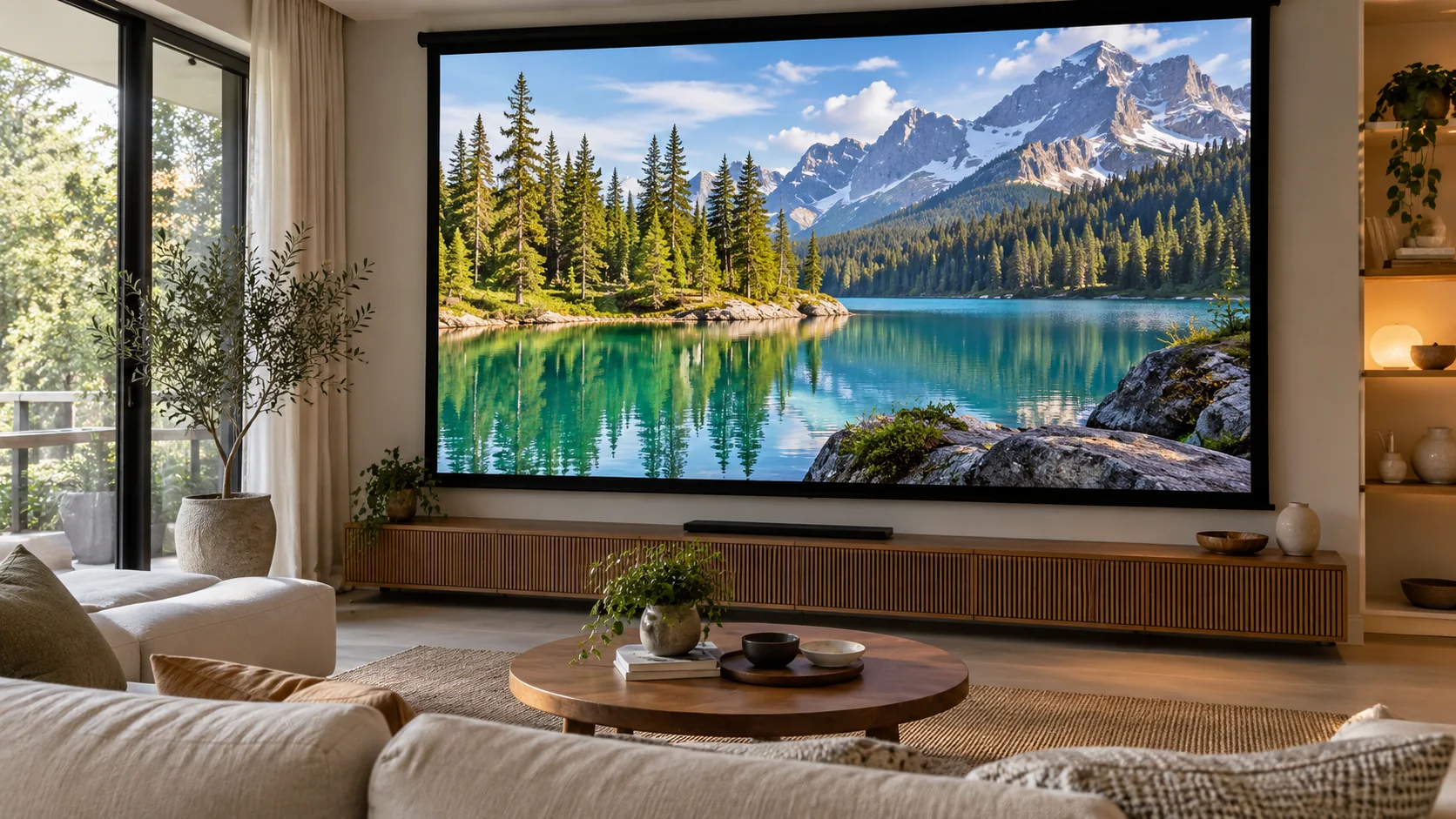
How do the signal, projector chip and screen opening differ?
The content picture, signal container, projector imager and screen opening can each have a different shape. A wide film can travel inside a taller signal with black bars already included. Identify the active picture within that signal, then check how the projector and physical opening will display it.
| Object | What it describes | Example | What to check |
|---|---|---|---|
| Content picture | The visible composition of the program or film | A wide scope film | The picture you want to preserve |
| Signal container | The complete transmitted frame, including any bars | A wide picture carried inside a video frame | Whether the bars are already part of the signal |
| Projector imager | The device’s available imaging area | The chip geometry described for the model | How the model maps or scales the incoming image |
| Screen opening | The physical visible area | The active surface inside borders or masking | The opening the room and mounting can support |
The June 2019 EDCF guide to projection screens distinguishes these image objects and illustrates the effects of masking. Its cinema examples are useful for understanding the geometry, while the specific projector’s instructions govern the home installation.
A black bar encoded into a signal remains part of that frame unless the display changes the mapping or crops it. Ordering a wider sheet cannot change the signal’s contents. Establish what should fill the active screen before deciding how the system will handle the unused area.
When requesting a screen, describe the intended visible picture and opening. “A 4K screen” leaves the shape and dimensions unresolved. A width, height and stated content format give the supplier a more useful starting point.
How do you calculate width and height from the diagonal?
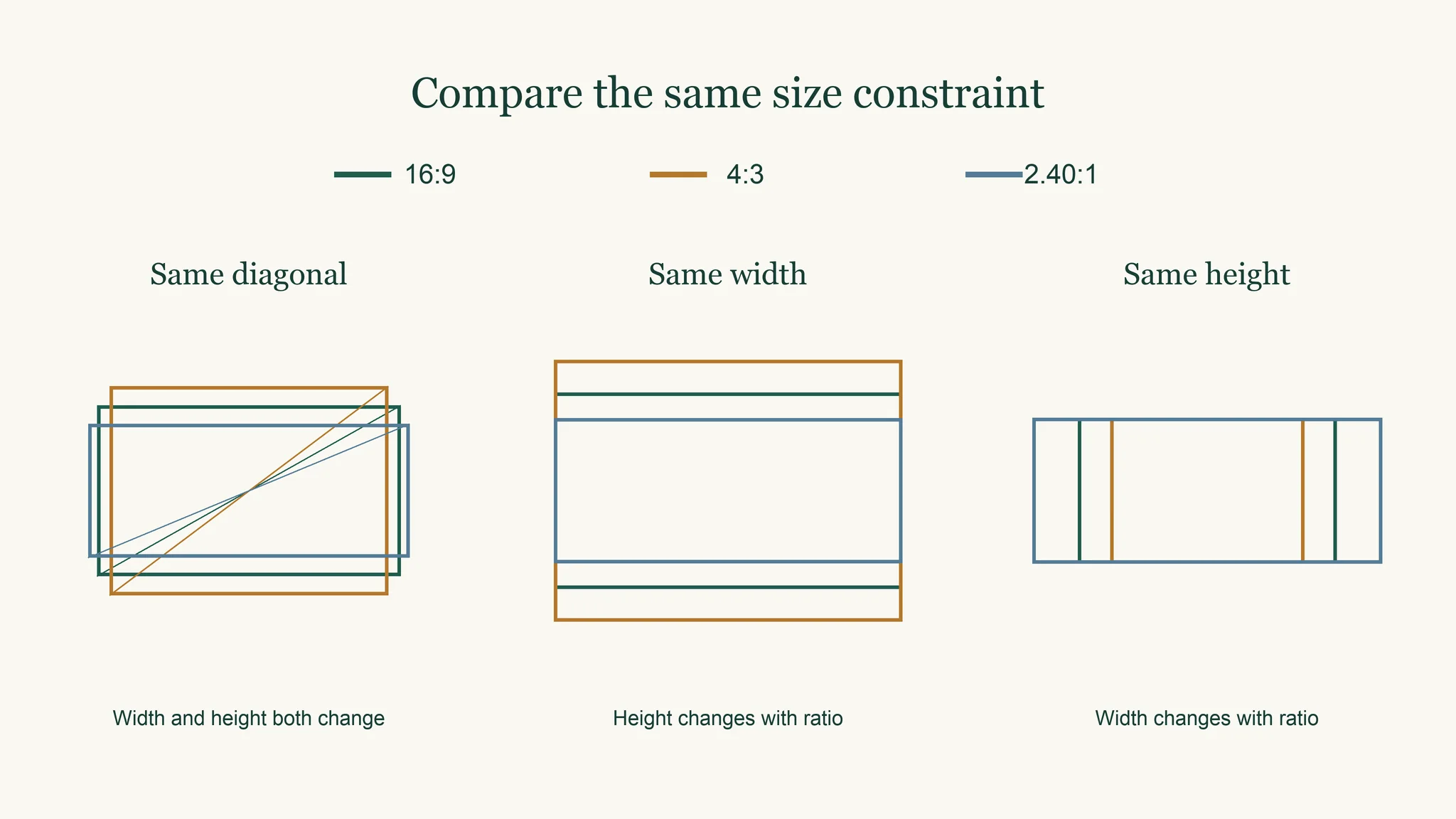
Calculate height by dividing the diagonal by the square root of the ratio squared plus one, then multiply that height by the ratio to find width. Use the same unit throughout. These calculations describe the active image rectangle; the frame, border and mounting allowance need to be added separately.
With ratio r, diagonal D, width W and height H, the equations are H = D / √(r² + 1) and W = r × H. For a fixed width, H = W / r; for a fixed height, W = r × H.
The following are calculated geometric examples in inches. The diagonal case uses D = 100 in; the common-width case uses W = 100 in; the common-height case uses H = 50 in. Values are rounded to two decimal places.
| Ratio | Diagonal case: width | Diagonal case: height | Common-width case: height | Common-height case: width |
|---|---|---|---|---|
| 16:9 | 87.16 | 49.03 | 56.25 | 88.89 |
| 16:10 | 84.80 | 53.00 | 62.50 | 80.00 |
| 4:3 | 80.00 | 60.00 | 75.00 | 66.67 |
| 2.35:1 | 92.02 | 39.16 | 42.55 | 117.50 |
| 2.40:1 | 92.31 | 38.46 | 41.67 | 120.00 |
The diagonal columns show why the widest rectangle can have less height. The common-width column is useful when the room’s side boundaries set the limit. The common-height column is useful when ceiling clearance, furniture or sightlines constrain the image height.
Use the actual ratio being ordered. The two wider ratios in the table are separate geometric examples, not interchangeable dimensions or a history of film formats. Draw the active rectangle on the wall and leave the proposed border and fixing space around it before finalizing the order.
What happens when the image and screen shapes differ?
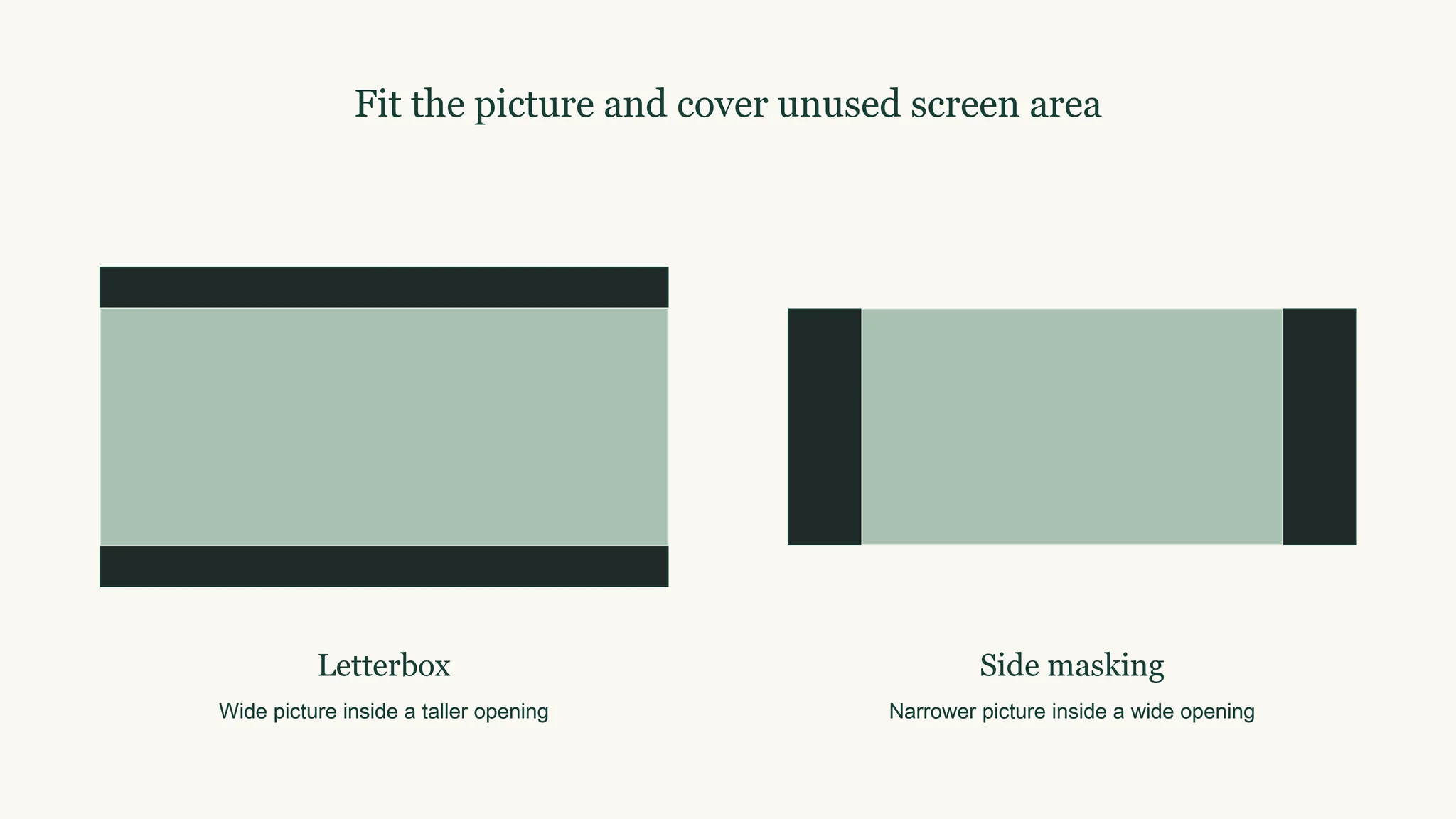
A shape mismatch leaves unused areas around the picture, crops part of it or changes its proportions if it is stretched. Masking can cover unused reflective screen area with black material. Decide whether the system will preserve image height or image width as formats change, then check the projector’s actual adjustment capabilities.
A wider picture fitted across a taller video-shaped opening leaves bars above and below it. A taller picture fitted within a wider opening leaves space at the sides. Preserving the entire picture maintains its proportions; cropping removes content, and stretching changes those proportions.
The EDCF guide illustrates constant-height and constant-width cinema arrangements with different masking positions. In a constant-height arrangement, a narrower image needs side masking. In a constant-width arrangement, a wider image uses less height and needs masking above and below. Any required zoom or image adjustment must be supported by the chosen equipment.
Physical black masking and electronic cropping do different jobs. Cropping changes the displayed picture area, while physical masking covers reflective surface outside the desired opening. Unused uncovered surface can still receive projector light and room light, which affects how clearly the picture boundary is seen.
Watch a familiar scene in each format before settling on the changeover method. Check subtitles and other picture-edge information when evaluating a crop. Keep the approach repeatable for the people who will operate the room.
What should you measure before ordering a screen?
Measure the usable wall width and height, the proposed active image rectangle, seating sightlines and projector position. Check the selected projector’s throw-distance guidance for that image size. Record borders, masking and mounting space separately so the visible opening and the complete installed screen both fit the room.
| Item | What to record | Why it affects the order |
|---|---|---|
| Active picture | Width and height of the visible image | Defines the usable rectangle |
| Aspect ratio | The selected shape | Links the content choice to the dimensions |
| Border and masking | Their location and required space | Establishes the complete opening and surround |
| Projector | Exact model, mounting position and its throw guidance | Checks whether the image can fill the rectangle |
| Installation | Fixing space, surface flatness and clearances | Checks the complete mounting arrangement |
| Content mix | Main formats and the chosen changeover approach | Explains which opening the room should favor |
One projector maker’s image troubleshooting guidance recommends a flat projection surface, an appropriate distance, alignment toward the screen and avoiding excessive keystone correction. Obtain the distance and adjustment limits from the exact model you will use.
Work from wall measurements to the chosen ratio, calculated active dimensions, projector placement and final border allowance. A full-size taped outline can make the proposed width and height easier to assess from the seats.
For a sheet or film, include the support and tension arrangement in the discussion. The projector screen wrinkles guide explains why mounting-related shape problems need their own diagnosis. If the alternative is a finished wall, the screen paint versus screen comparison covers that construction choice.
Where does silicone projection film fit?
Puremorfilm makes a silicone-surface film for front projection, supplied as one piece without back adhesive. Describe a sample request using the active image width and height, selected ratio and mounting arrangement. Evaluate the projected picture with the intended projector and room before finalizing the material choice for that installation.
We use a No DOP formulation. The silicone surface is inherently flame-retardant, with higher grades up to UL 94 V-0 available on request. In the manufacturer’s laboratory tests, coffee, red wine and soy sauce left at 25°C for 24 hours wiped off with no obvious change.
Our projection screen film is a paint-free material with a silicone functional face, distinct from PVC, melamine, PP and PETG decorative faces. Free samples are available.
Which screen shape should you choose for your room?
Choose the opening around your main content and the room’s usable dimensions. A video-led room usually starts with a conventional widescreen rectangle; a scope-film room can favor a wider opening with a workable changeover plan. Confirm the active width and height, projector placement and mounting space before ordering.
| Room and content | Starting choice | Check next |
|---|---|---|
| Mixed video, television and games | 16:9 | The actual source formats and projector installation range |
| Mainly scope films | A wider scope opening | Masking and the model’s supported image adjustment |
| Limited wall height with more usable width | Evaluate a constant-height wider layout | Side masking for narrower content and the required width |
| Mainly an older-format collection | The shape that matches that material | How occasional wider content will be displayed |
Keep a dimensioned drawing of the active opening and its surround. It should tell the screen supplier what you want to see and tell the installer what must physically fit. Use the same drawing when checking the projector placement so those decisions stay connected.
For a material discussion, contact us with the active image width and height, ratio, projector model, installation arrangement and main content formats.
Frequently Asked Questions
Is 1920×1080 an aspect ratio?
No, those numbers specify a pixel resolution. Dividing the horizontal pixel count by the vertical count gives 16:9, the corresponding image shape. The resolution still leaves the installed screen width and height to be chosen.
What aspect ratio should I choose: 16:9 or 4:3?
16:9 suits a room centered on modern widescreen video, while 4:3 suits a room where that shape dominates the material you show. At the example diagonal in the table, the latter rectangle is 80 by 60 inches, making it taller and narrower than the widescreen alternative.
How do I change the image size on my projector?
Image size can be changed by adjusting the projector-to-screen distance or using zoom if the model provides it. Check the model’s distance table and adjustment limits for the intended image size. A menu setting or automatic correction should not be assumed to replace correct placement.
What happens to 2.39:1 movies on a 16:9 screen?
A complete scope picture fitted across that screen leaves black bars above and below the image. Cropping or changing the mapping can alter that result, but cropping also removes picture content. Decide whether preserving the full composition is the priority.
What is the best projector screen aspect ratio?
A video-led room generally starts with 16:9; a room used mainly for scope films can favor a wider opening with an appropriate masking and adjustment plan. The best fit is the shape that suits the main content and the wall dimensions while remaining practical for the projector installation.